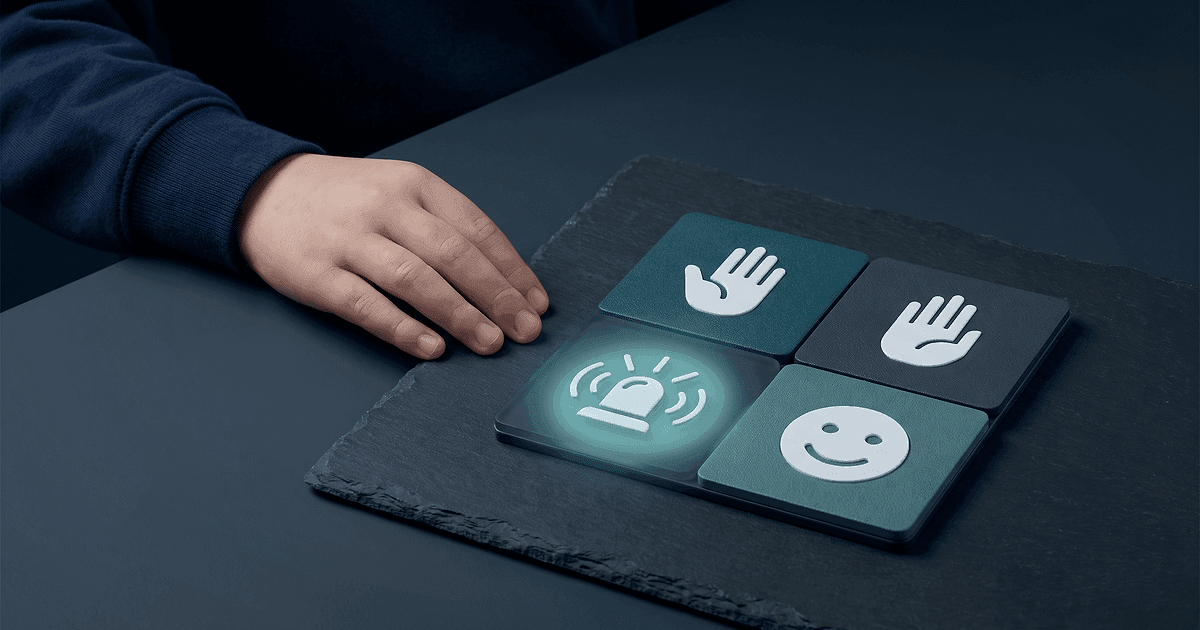
A safeguarding route only works if the pupil can use it.
Schools often tell pupils to speak to a trusted adult, use a worry box or report something online. Those routes assume the pupil recognises what happened, understands the instruction, can find the words and trusts that the adult will understand them.
For some pupils with SEND, one or more of those assumptions will be wrong. The answer is not a separate safeguarding policy for every child. It is a short, current communication profile that tells staff how this pupil shows discomfort, refuses, asks for help and communicates something unusual.
A useful accessible-reporting record answers four questions: how does the pupil communicate, what changes should staff notice, what helps the pupil express themselves, and where must staff record and escalate a concern?
Why can ordinary reporting routes fail pupils with SEND?
The 2026 edition of Keeping Children Safe in Education says children with SEND can face additional safeguarding challenges online and offline. It points to communication barriers, difficulty managing or reporting risks, and the possibility that a child may not understand that what is happening is abuse.
A pupil might use an augmentative and alternative communication system but not have vocabulary for the event. Another may communicate a concern through a sudden change in behaviour rather than a direct statement.
Staff should not turn every change into evidence of abuse. They should notice the change, stay curious and follow the school's safeguarding procedure.
What belongs in an accessible communication profile?
Keep the profile practical. It should help a member of staff respond in the first few minutes, not summarise the pupil's whole history.
Record:
- the pupil's main communication method
- how they say yes, no, stop and help
- how they show pain, fear, discomfort or confusion
- words, symbols or signs they already use
- how much processing time they need
- sensory or environmental factors that affect communication
- adults or tools that help them communicate
- approaches that are likely to shut communication down
- the date the information was checked and who checked it
Write observable details. "Limited communication" tells staff very little. "Uses a four-cell symbol board, looks towards the chosen symbol and needs at least ten seconds before a second question" gives them something they can use.
Keep the pupil's voice intact
When a pupil uses their own words, record those words accurately. Do not tidy the grammar, replace a concrete phrase with professional language or turn uncertainty into certainty.
The same rule applies to words, symbols, signs and communication devices. Record what the pupil selected or indicated and how the adult understood it. Separate observation from interpretation.
MeritDocs can help staff build a structured needs profile from recorded evidence while preserving source voice and avoiding unsupported inference. That support information can make future documents more consistent, but staff must put an actual safeguarding disclosure into the school's designated safeguarding system.
How should staff respond when a pupil communicates differently?
The first response should reduce pressure, not increase it.
- Listen and allow time.
- Use the pupil's established communication method where possible.
- Avoid leading or repeated questions.
- Record the pupil's words, selections or actions accurately.
- Report promptly through the school's safeguarding route.
- Tell the DSL what communication support may be needed next.
Do not promise secrecy or ask the pupil to repeat the account to several adults because the first record was poor. Do not use a family member as the default interpreter where that could create risk.
The DSL should decide the safeguarding response. The SENCO can help the DSL understand the pupil's communication, needs and reasonable adjustments.
Where should this information be stored?
Schools need a clear boundary between support information and safeguarding information.
The communication profile belongs with the pupil's current support documentation so relevant staff can use it. A concern, disclosure, referral decision or safeguarding chronology belongs in the secure child protection record.
Do not copy the full safeguarding account into a pupil passport or hide the communication method inside a safeguarding system that teaching staff cannot access. Each record has a different job.
MeritDocs supports governed pupil passports and structured SEND documents with version history and controlled workflow. That helps schools maintain the support information staff need without pretending the SEND platform is the safeguarding case-management system.
Build an accessible reporting route in five steps
1. Ask the pupil how they prefer to communicate
Do not build the profile around adult assumptions. Use the pupil's established method and involve parents or carers where appropriate. Check whether the pupil uses different methods when calm, distressed or tired.
2. Make reporting routes concrete
Teach and practise the route when there is no active concern. Show the pupil who they can approach, where they can go and what symbol, card or device option they can use.
A poster about trusted adults is not enough if staff change each term. Use names, photographs or familiar role labels, then update them when people leave.
3. Brief the right adults
Class teachers, teaching assistants, pastoral staff and relevant cover staff need the practical profile. They do not all need the pupil's full history.
Ask one adult who does not know the pupil well to read the profile and explain what they would do. If they cannot answer, the wording is too vague.
4. Review after change
Update the profile after a communication assessment, a change of device, a transition or a material change in how the pupil asks for help.
MeritDocs supports draft, review, publishing, versioning and archiving for pupil passports. A governed process matters because an old communication method in circulation can be worse than no summary at all.
A one-page staff check
Use this at the start of term or before a transition:
- Can the pupil communicate stop, no, help and pain?
- Do staff know what those responses look like?
- Is the pupil's communication tool available throughout the day?
- Does the profile separate observed behaviour from adult interpretation?
- Is the current version easy for relevant staff to find?
- Do staff know that safeguarding concerns go into the child protection system?
- Is there a clear route from the staff member to the DSL and, where needed, the SENCO?
If the answer depends on one teaching assistant being present, the route is fragile.
FAQ
Should every pupil with SEND have a safeguarding communication profile?
Not necessarily. The need depends on the pupil's communication, understanding and circumstances. Many pupils can use the school's ordinary reporting routes. The school should make an individual judgement rather than assume either vulnerability or independence from a label.
Can a pupil passport contain safeguarding information?
It can contain practical information about communication, support and reasonable adjustments. It should not become a duplicate child protection file or include details that ordinary users do not need.
Who should update the profile?
Name an owner. This may be the SENCO, class teacher or another appropriate member of staff, depending on the setting. The pupil and parents or carers should contribute where appropriate, and the DSL should understand how the information connects to safeguarding practice.
The takeaway
Accessible safeguarding reporting is not another form to complete. It is a route a pupil can actually use and an adult can understand.
Keep the support information short, specific and current. Preserve the pupil's words. Give the safeguarding record its own secure home. When the SENCO and DSL work from clear role boundaries, pupils are less likely to be missed between two systems.